Big Brain Live
A personal automation system that files its own work as tickets and then writes the code.
How to use it
Reach it however suits: say it to a speaker, message the chat bot, or file a ticket yourself. All three land in the same funnel. The four below are alternatives, not a sequence.
You can talk to it, text it, or write the task down yourself. All three end up in the same place. These are options, not steps in order.
- Say it: "ask big brain, job for you: add a page to the website" It reads the job back, waits for a yes, then files it and says the ticket number.It repeats the job back, waits for you to agree, then writes it down and tells you the number.
- Or message it in plain English Same funnel, no confirmation step. It replies with the ticket it filed, and whether it's already running or waiting on your OK.The same thing by message. It replies saying what it wrote down, and whether it's already being worked on or waiting for you to approve it.
- Or ask a question instead of giving a job Some things are answered rather than filed: a web search, or who is waiting on a reply.Some things it just answers on the spot instead of turning them into a task.
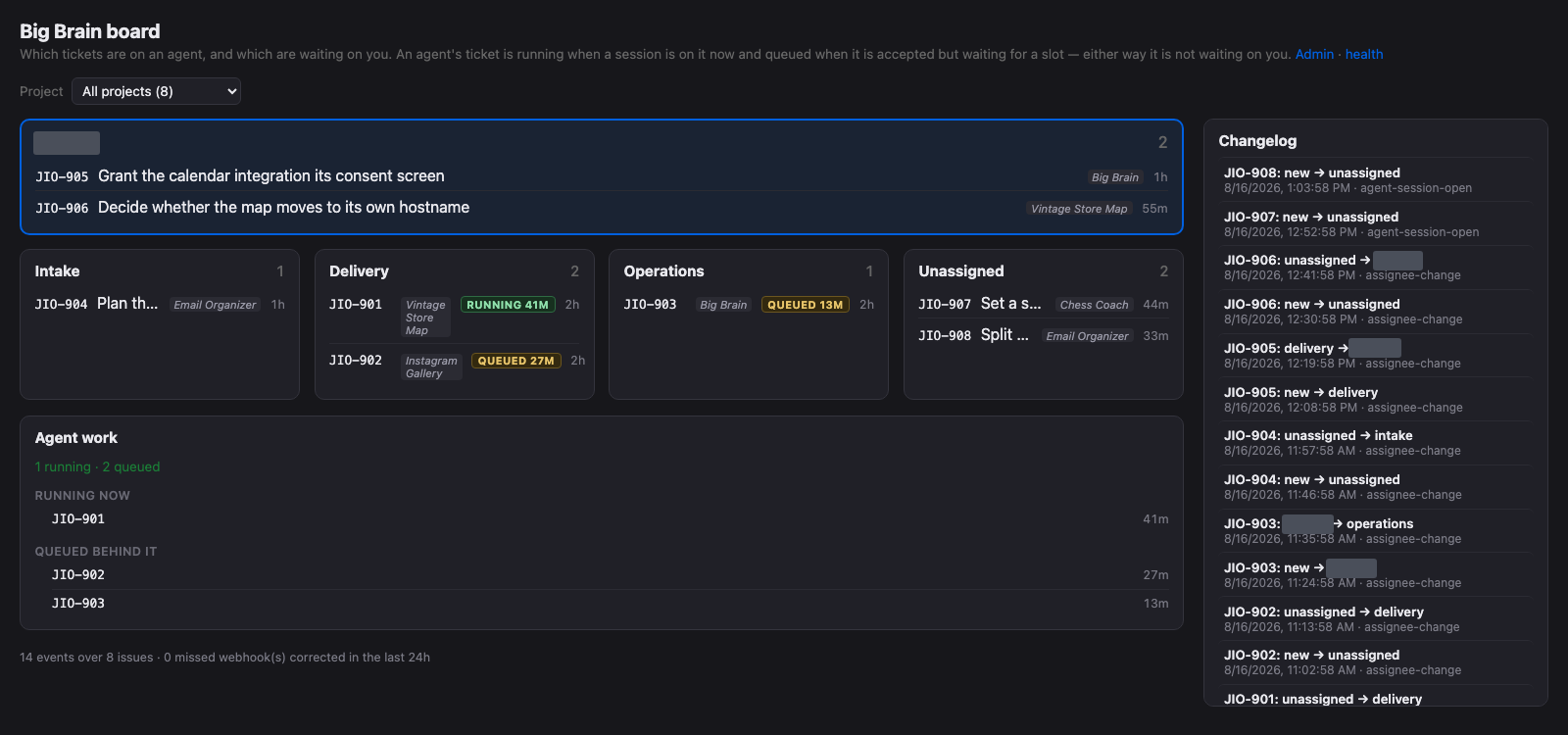
- Watch it work on the live board Every open ticket on whoever holds it, and what is running now. Behind the site password.A page showing everything being worked on right now. You need the site password.
One Front Door
Five kinds of caller land on a single process: a speaker, a browser, an email to the domain, the ticket system and a chat bot. Each proves itself differently: a signed request, a shared header, a session cookie, or nothing at all where an unguessable address is the whole credential. Spoken light commands pass straight through to the bulbs.
Five different things can talk to it: a smart speaker, a web browser, an email, my task list and a messaging app. Each has to prove who it is in its own way. The server never opens a door to the internet. It reaches out, and nothing reaches in.
What It Won't Do
Production data is read through a role that can't write. Strangers get silence. It refuses destructive git outside its own checkout, third-party install scripts, and mail sent as me. A store upload waits for my tap. Untrusted jobs run read-only and file a finding. A stand-in takes signups under its own name, and its work waits for my go-ahead.
My AI helpers can read the real app data but never change it. They ignore strangers. They won't wipe out work outside their own copy, run outside installers, or send mail as me. An app store upload waits for my tap. Work from sources I don't trust gets reviewed, never changed. A stand-in handles signups under its own name.
Work Becomes a Ticket, Then Code
One funnel titles, dedupes and files the request. Nothing runs on the spot. Delegating a ticket by hand still starts it; so does moving it forward for a sweep to dispatch. A building session now takes the run of tickets chained behind its own in the same milestone, closing each as it lands, and commits through a tree lock.
Everything I ask for becomes a written task first, checked against what I already asked. Approving one starts it: by hand, or by moving it forward for a regular check to pick up. The AI can now finish a whole string of related tasks in one sitting, ticking each off as it's done.
It Watches Itself, and Writes It Up
The board draws custody and activity separately, since a ticket queued for a slot can look like one being worked. A new view beside it shows how much usage budget each AI account has left. The blog reads every repository's commits; another job rewrites each project page, this one included; a third files a ticket when health checks fail.
One page shows who is holding what, what's really moving versus waiting, and now how much AI usage budget is left before it has to pause. It also writes a public post about what changed each day, keeps this page current and says so if that breaks, and files itself a task when the machine is unwell.